How to open BINI files in Freelancer
BINI files are binary configuration files used by Freelancer (2003). Convert them to INI text before editing ship, market, equipment, or universe data.
Free browser tool
Open binary Freelancer (2003) configuration files, decode them to readable INI, edit the text, and pack it back to BINI without uploading files anywhere.
Live workflow
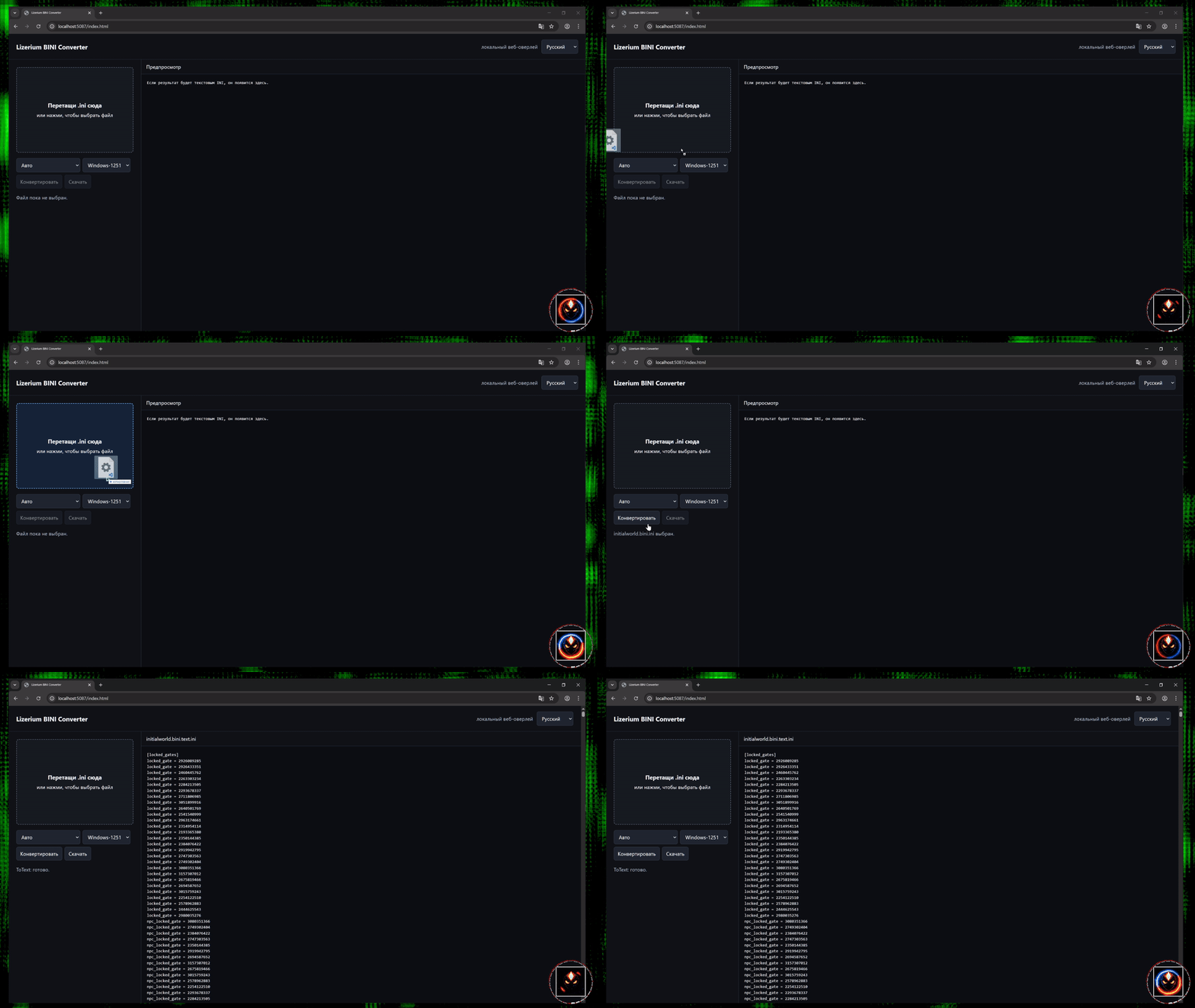
The demo shows how a Freelancer (2003) BINI file becomes readable INI text in the browser, ready for inspection, editing, and repacking.
Text output will appear here.
Freelancer BINI guide
BINI files are binary configuration files used by Freelancer (2003). Convert them to INI text before editing ship, market, equipment, or universe data.
Drag a file into the converter, keep Auto mode, and download readable text output. The conversion runs inside your browser.
After editing INI text, choose INI text to BINI and save a binary file that can be used by existing Freelancer tooling.
Troubleshooting
Check that the file is a Freelancer BINI or plain INI file and that it was not truncated during download or extraction.
Most Russian Freelancer files need Windows-1251. Try Latin-1 or UTF-8 only when the text looks broken.
Invalid BINI headers, missing string-table data, or unsupported values can prevent conversion.
More guides