 Lizerium.Localization.Toolkit
Generate translations, RESX keys, C# APIs, editor hints, and WPF XAML localization from one toolkit.
Lizerium.Localization.Toolkit combines runtime localization, source generation, Roslyn analyzers, Visual Studio CodeFixes, C# editor hints, a WPF XAML VSIX, and local AI translation through Ollama and LibreTranslate.
Quick Start
Install the toolkit
<PackageReference Include="Lizerium.Localization.Toolkit" Version="1.0.0" />Add `.resx` files as `AdditionalFiles` and `Content`, then use the generated `Generated.Localization.Localization` API.
Install the XAML VSIX
src\Lizerium.Localization.Xaml.Vsix\bin\Release\net472\Lizerium.Localization.Xaml.Vsix.vsixUse the Visual Studio light bulb to replace XAML literals with `{loc:Loc Key}` and create resource entries.
Install C# editor hints
src\Lizerium.Localization.EditorHints\bin\Release\net472\Lizerium.Localization.EditorHints.1.0.4.vsixShow inline `.resx` values next to generated localization calls such as `L.MainWindow.Title()`.
See It In Visual Studio

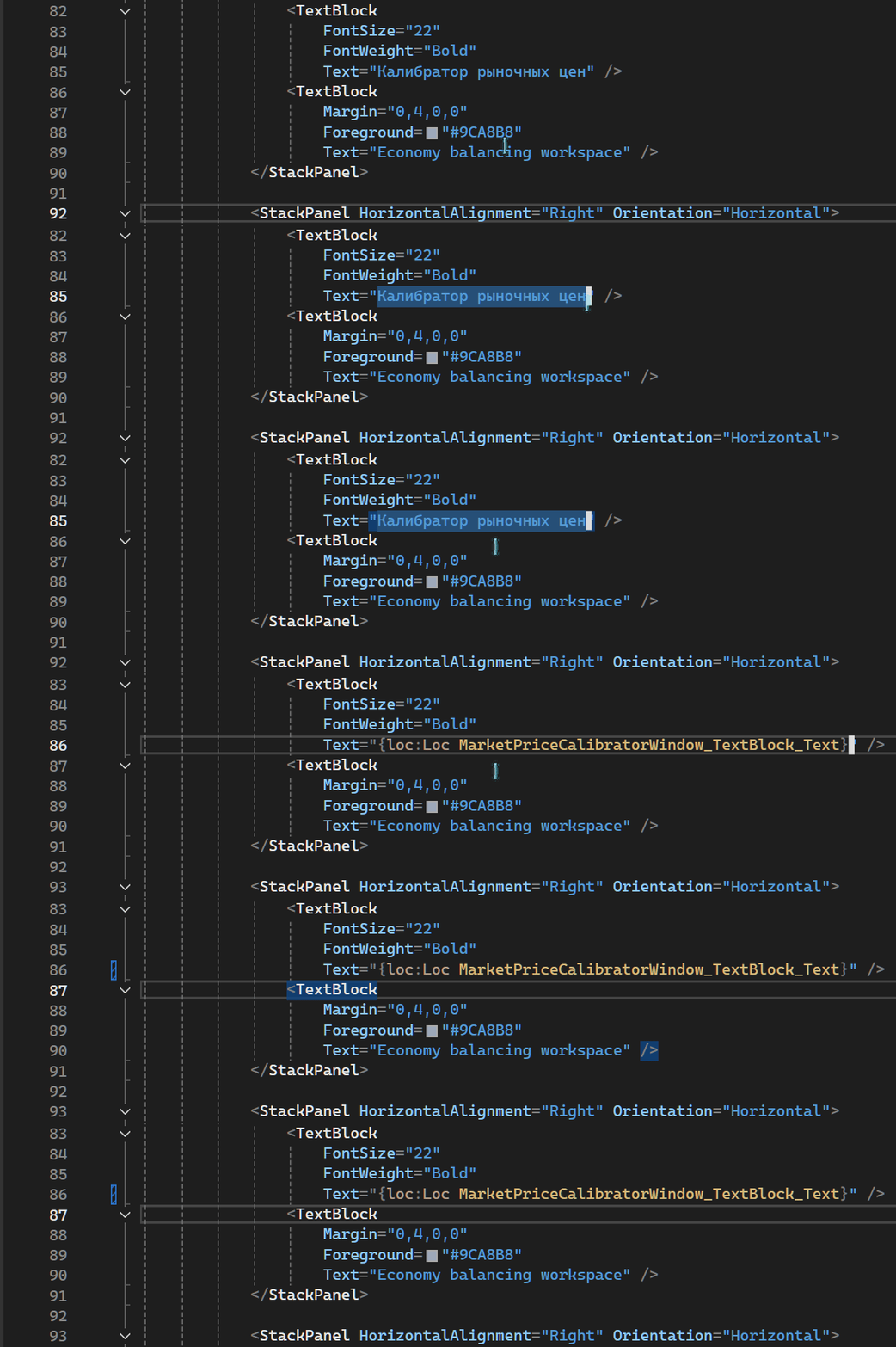
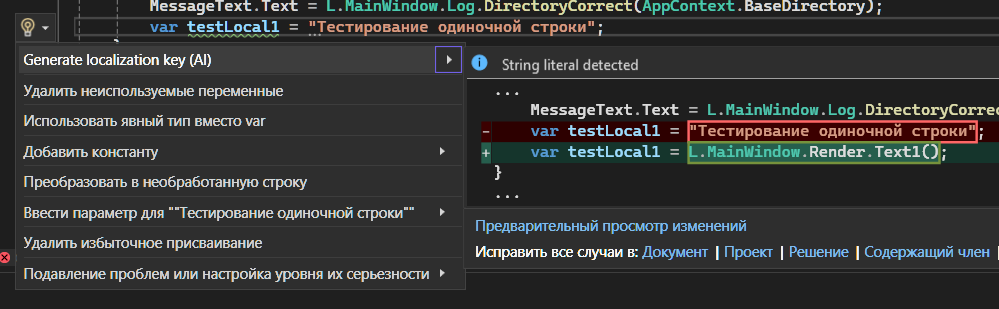

AI Configuration Matrix
| Tool | How to configure AI |
|---|---|
| XAML VSIX |
Tools -> Options -> Lizerium Localization -> AI
										Servers
, including timeout and fallback
|
| NuGet C# analyzer | Environment variables before starting Visual Studio |
| Direct AI Core usage | AiLocalizationOptions |
| CI/build server | Environment variables |
Popular Guides
How to auto-generate translations?
Use the AI CodeFix and XAML light bulb to create RESX keys automatically.
How to localize WPF XAML?
Convert `Content`, `Text`, `Title`, and selected text into `{loc:Loc Key}`.
How to configure Ollama?
Set local AI servers for VSIX, NuGet analyzers, and direct AI Core usage.
Documentation
GitHub Pages renders repository Markdown docs as HTML pages, so these links can be indexed and shared directly.